The Guitar Player's Resource
Hello all out there in studio/guitarland. I would like to let you all know I went through hell for the last month updating BrainWorks studio, which is my project studio.
Updating can be a great/horrible experience all at the same time. Most of it involves research to the 10th degree if you want to have a great experience. For instance, say you have a specific DAW soundcard that functions better with some motherboard configurations and RAM than others. How would you find this out? I have made the mistake at first of thinking that these types of things were not important. Well they are! I have found in my experience that many chat groups exist pertaining to certain DAW (digital audio workstations) systems, software, hardware, etc. It is a matter of finding them and digging in for the info.
This is what I had to do, and I came out with the correct answer. It only took about one week of research to find the most stable parts for my system. I am specifically talking about the PC platform for music.
The next is your operating system. I was using Windows 98SE and had no problems with the old system. That is the hard thing - to stick a knife in something that is not broken. I just needed more power, power, power! Windows XP Professional was the choice.
The next things you need are the latest drivers for all your software. Since changing from 98 to XP everything was needed. You can usually find all drivers online at your products web site. Please be sure to scan the file with Norton before installing it. That would suck to have a virus enter at this point!
Last is loading your software. Make sure if they say to close all programs to install, you do it. You can crash your entire system and have to start again from scratch!
Hey, now it should work... right? So you turn it on and hear ground loops happening. What the hell is that? More next time!
May the tone be with you.
David Martone is a guitarist from Vancouver, Canada who has released seven solo CDs which showcase his musical diversity and brilliant guitarmanship.
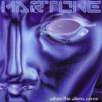
His 2007 CD is entitled "When The Aliens Come", which features a progressive sound incorporating jazz, rock, fusion and metal influences.